


Fabric is 25% off until Oct 7.
Smooth creases across a whole shoot. Buy now
Heal Video
DaVinci Resolve
Nuke
Assimilate SCRATCH
Natron
VEGAS Pro
Autodesk Flame
Сorrects small skin flaws in video, including blemishes, acne, post-acne marks, and visible pores — for cleaner, more polished results.

Powerful AI Healing Brush Tool cleans up the skin on every frame of your video.
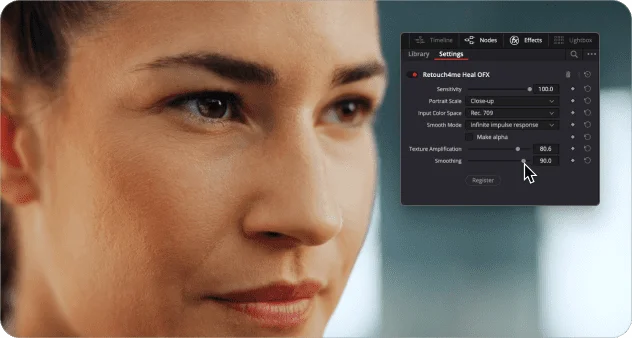
Heal Video

Automatically detects skin defects: blemishes, pimples, acne and cleans it.

Retouches skin on all the faces and bodies in the frame.

Optical Flow algorithm reduces jitter between the frames.


Watch the video
Quick Review

The most handy plugins in one panel
Plugins can be used for
Commercial videos
Weddings & events
Stock footages
Music video
Video Blogs
Erotic Videos
Technical requirements


Software
- DaVinci Resolve*
- Nuke
- Assimilate SCRATCH
- Natron
- VEGAS Pro
- Autodesk Flame
*Please note that the program must be downloaded from the official website. The plugin does not work with versions downloaded from the Apple Store.
The processing speed depends on the GPU power, the amount of RAM and the length of the video, since the retouching is done frame-by-frame.

Operating systems
- Windows 10 (x64), Windows 11
- macOS 11+
Hardware
- at least 6 Gb RAM
- 64-bit (x64) processor, 1.2 GHz or faster
- PC: GPU with 4GB VRAM or Intel CPU with OpenCL 1.2 support
- MAC: M1, M2, M3 CPU’s, Intel Core i7 for older Macs
Save hours on video retouching — let smart plugins do the heavy lifting.
FAQ